Diagnose your visibility
The first leg of the loop. The scorecard sets the headline. Diagnose breaks it down.
Each scan runs the same buyer questions across ChatGPT, Google AIO, Claude, and Perplexity (the engines you see depend on your plan). The five sections below tell you where you stand, where you are slipping, and where a competitor is taking your spot. Only Where you’re losing ships on Free; the other four sections unlock on Starter and up.
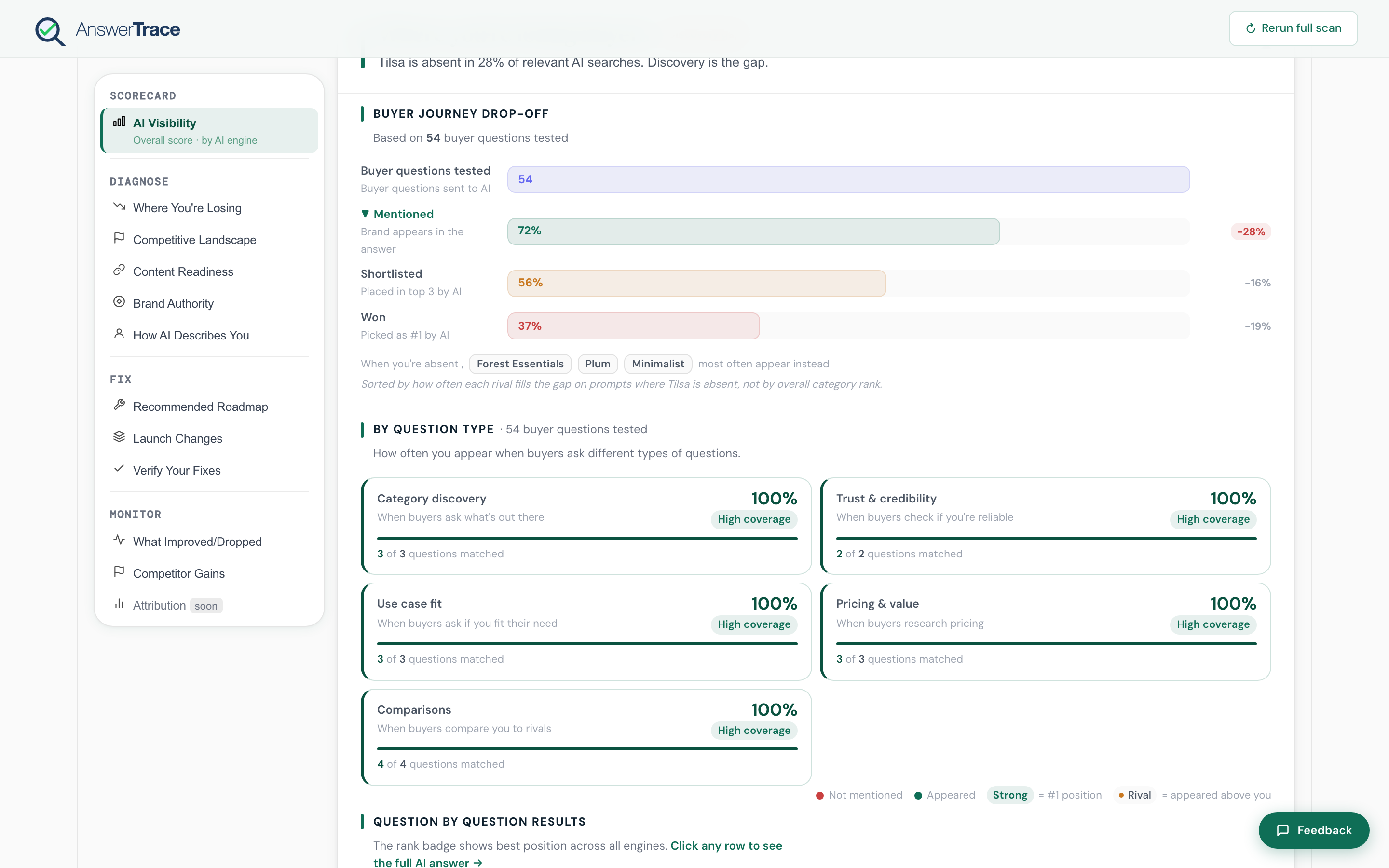
Read in this order
- Where you’re losing, which intents and engines drop you
- Competitive landscape, who is winning the category and on what
- Content readiness, the on-site signals AI engines pick up
- Brand authority, the off-site signals AI engines pick up
- How AI describes you, sentiment and the attributes AI pulls
The Google read, alongside
Two further sections hold your Google picture next to the AI one. They are SEO-namespace only and never feed the AI presence score. Starter and above.
- Google Search Console, the real keywords you rank for, and the striking-distance list
- SEO health, on-page and technical issues read from the same crawl
Read them when a page ranks well on Google but goes unnamed in AI answers. That gap is usually a page AI cannot read, not a page you are missing.
What you do next
Diagnose tells you what is wrong. The fix list is built from the same scan, sorted by impact-per-day-of-effort. Open Ship the fix once you know where you are losing.