Competitor gains
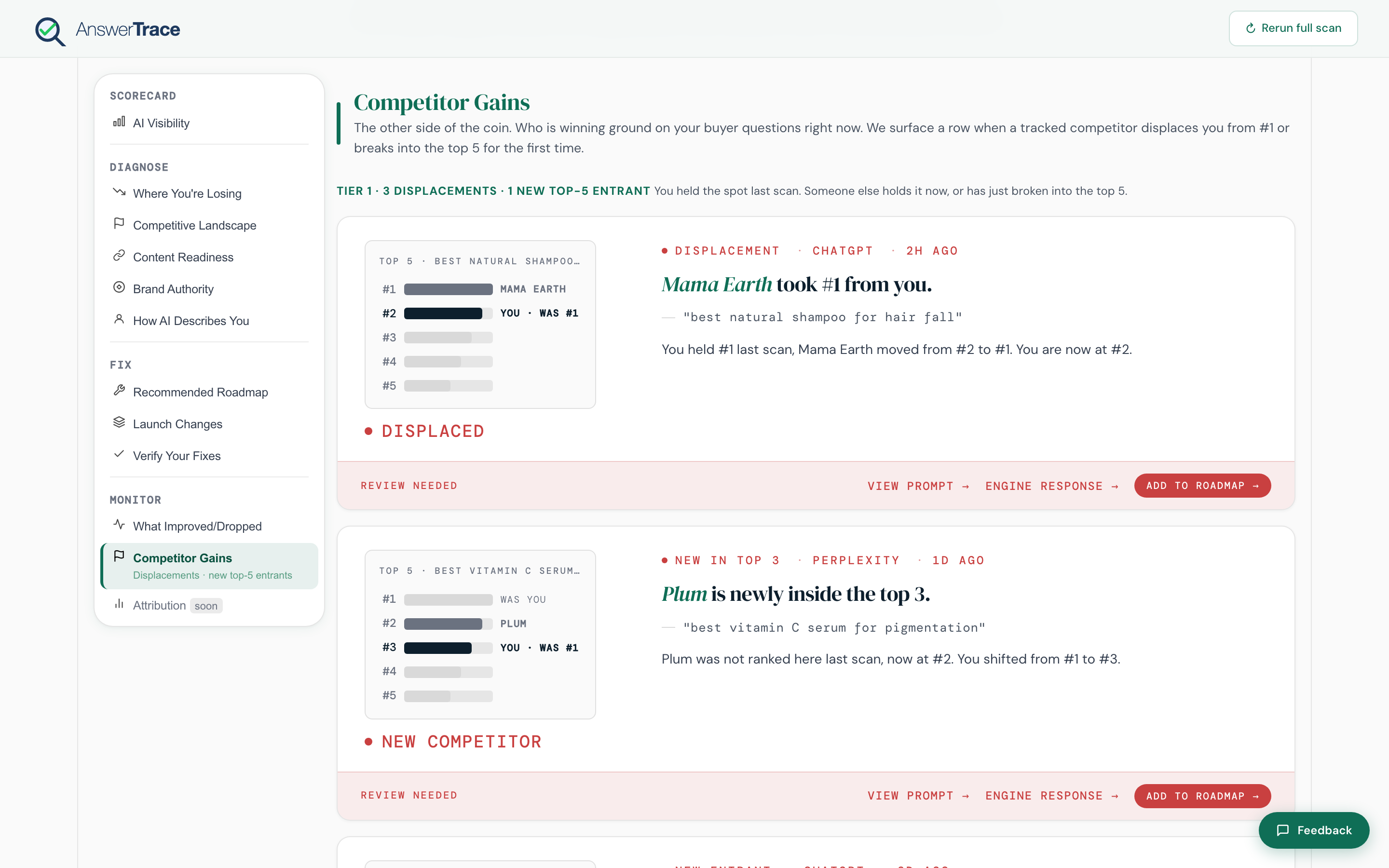
The change feed from What improved or dropped, filtered to events that involve a tracked competitor. The single most useful Track view for spotting category movement. Available on Growth and up.
What we track
| Event | What it means |
|---|---|
| New citation (competitor) | A competitor was named on a prompt where they were absent in the last scan |
| Displacement | A competitor took your #1 position on a specific prompt where you previously led |
| Competitor exit | A competitor that used to be cited on a prompt no longer is |
Each event is per-prompt-per-engine. There is no cross-engine “Engine gain” event and no per-competitor “Trajectory” score event today; those were design ideas that didn’t ship.
How tracked competitors get set up
When you ran your first scan, AnswerTrace pulled a starter set of competitors from your category prompts during the brand setup overlay. You can grow the watchlist event-by-event:
- Track competitor, a chip that appears on Tier 2 competitor cards. Hitting it adds that competitor to your workspace watchlist so future events involving them surface here.
There isn’t a dedicated “Manage competitors” page today. Brand-level competitors are seeded once during setup, and the per-event Track chip is how you grow the watchlist after that. Product-specific competitors live on the prompt screen during brand setup.
Pitch brands on Agency Standard, Agency Pro, and Enterprise are full brand records with their own competitor seed, so each pitch brand has an isolated set.
What a card shows
Each event card includes:
- The competitor name and logo
- The event type (new citation, displacement, exit)
- The prompt where it happened
- The engine
- Action chips: View prompt (open the AI answer), Engine response (open the raw model output), Add to roadmap (Tier 1 only), Track competitor (Tier 2)
Why this is separate from What improved or dropped
What improved or dropped tracks everything. Competitor Gains filters to the events that map to a named rival. If three competitors all gain ground on the same intent in the same week, that’s a category-level signal worth a strategy call.
What this means for you
Competitor Gains tells you which rival is investing in AI visibility right now. Pair it with How AI describes you to see the language change too. When you spot a displacement, Recommended roadmap usually surfaces a counter-action on the next scan.