Add a brand
Most plans allow one brand. Agency plans allow five. Enterprise is unlimited. This page covers both the regular flow and the agency-only pitch brand flow.
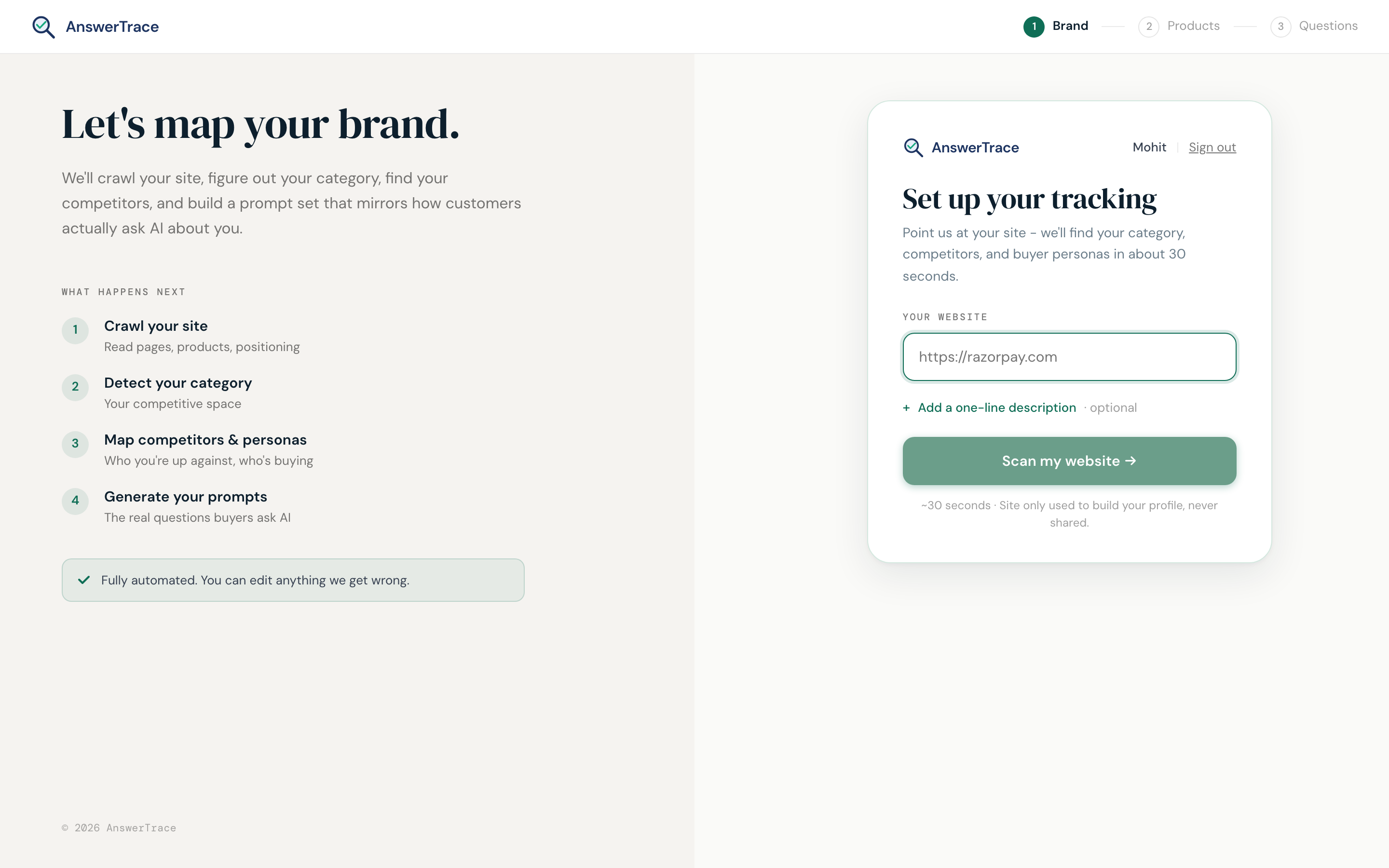
Regular brand
- Open the dashboard
- Hit Add brand
- Paste the homepage URL
- Wait while the brand setup overlay crawls the site, detects the category, maps competitors, and generates the starter prompt set (about 30 seconds). Wikipedia, Wikidata, G2, Reddit, and press signals are pulled later during the scan itself
- Review the proposed prompt set, edit if needed
- Hit Run scan
The brand stays on your account until you delete it. Scans accumulate against your plan’s refresh cadence (every two weeks, or weekly on Pro).
Pitch brand (Agency Standard and up)
Pitch brands let agencies run a one-off scan on a prospect without burning a real brand slot. Useful for sales conversations.
How it works:
- Up to 5 pitch scans per month on Agency Standard
- Each pitch brand auto-archives 30 days after creation
- Pitch brands show with a PITCH chip in the dashboard so you do not confuse them with paying clients
- Reports can still be shared with the prospect
To create one:
- On the dashboard, hit Add pitch brand (it’s a separate button, next to Add brand)
- Paste the prospect URL
- Continue as a regular scan
When the 30-day window expires, the brand archives automatically. You can re-create it if the prospect signs up as a paying client; their history carries over.
Brand limits per plan
| Plan | Real brands | Pitch brands per month |
|---|---|---|
| Free | 1 | None |
| Starter | 1 | None |
| Growth | 1 | None |
| Pro | 1 | None |
| Agency Standard | 5 | 5 |
| Enterprise | Unlimited | Custom |
Agency Standard can buy additional brand slots at ₹1,799/month each.
What this means for you
Brands are the primary unit of work in AnswerTrace. Pitch brands are how agencies trial AnswerTrace inside a sales motion. Real brands are how teams hold themselves accountable for AI visibility quarter over quarter.