Recommended roadmap
The prioritized fix list. Every detected finding from the latest scan, grouped by horizon so you can pick what to ship this week without being buried.
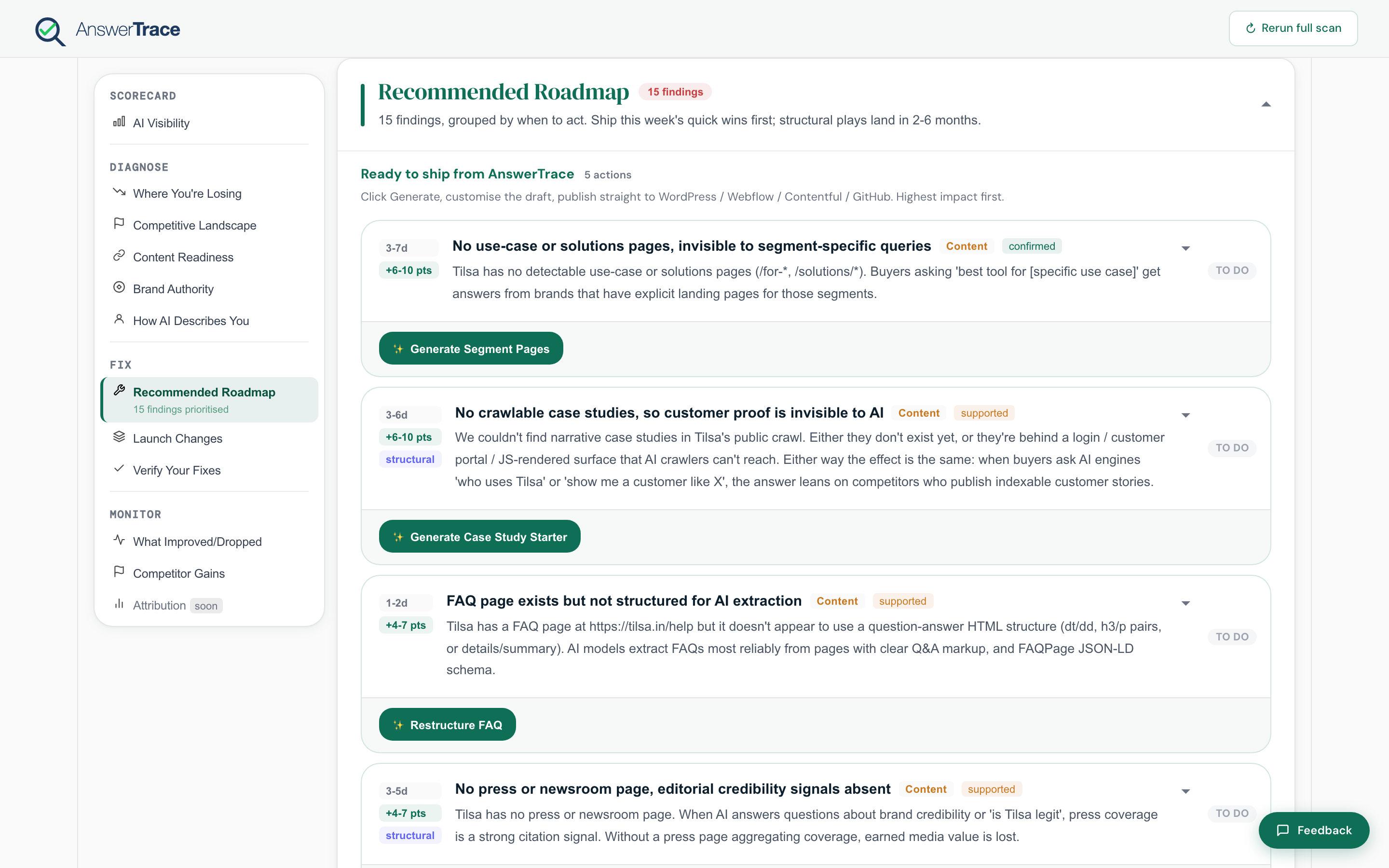
How the roadmap is organized
Findings are grouped into three buckets, in the order you should read them:
- This week, urgent and high-impact findings
- This month, medium-horizon fixes that compound
- This quarter, slower-moving authority and positioning work
The roadmap shows every active finding from this scan. It doesn’t auto-hide done items; for the before-vs-after view, use Verify your fixes.
What a card shows
Each finding card surfaces:
- A clear, sentence-case title
- A theme chip: Visibility, Content, Authority, Citations, Site readiness, Coverage, or Competitive
- An effort range (in business days) drawn from the rule definition
- An impact range (in score points) drawn from the rule definition
- A plain-language reason for why we flagged it
- A status:
todo,in_progress,done, orskipped. You can flip the status from the card
The impact and effort values are static per-rule ranges, not derived dynamically from your scan. They give you a quick way to sort similar findings against each other; for a precise expected lift, ship the fix and check the per-metric delta in Verify your fixes.
Generate the artifact
On Growth and up, most findings include a Generate artifact button that drafts the corresponding asset for you. Depending on the rule, that artifact might be:
- An FAQ Page JSON-LD block
- A schema snippet for Organization, Product, or Offer
- A content brief or page skeleton
- A comparison page draft
- A case study starter
- A glossary entry
- A segment page
Generated artifacts can be copied, downloaded, or published in one click to your CMS. See Publish to your CMS.
What this means for you
The roadmap is the only part of the report you act on. Read everything else in Diagnose to understand why. Read this to know what to do. Then open Monitor and Verify your fixes on the next scan to see if it worked.