Verify your fixes
The before-vs-after view of every fix you have shipped. After you mark a finding resolved, this section pairs it with the next scan and shows the score delta across the whole scan so you can see whether AI actually picked up the change.
Available on any paid plan (Starter and up).
Why this is separate from Track
Track follows every change across every prompt and engine. Verify Your Fixes is filtered to findings you marked resolved, so it’s the closed-loop view of your own actions, not the open world.
| View | What it shows |
|---|---|
| Track → What improved or dropped | Everything that moved between scans, across all prompts and engines |
| Verify Your Fixes | Only findings you marked resolved, with the post-fix scan’s AEO / Content Readiness / Brand Authority deltas |
The deltas you see on each card are scan-level (AEO score, Content Readiness, Brand Authority) before vs after, not per-prompt. The per-prompt view lives in Where you’re losing and the change feed.
What each card shows
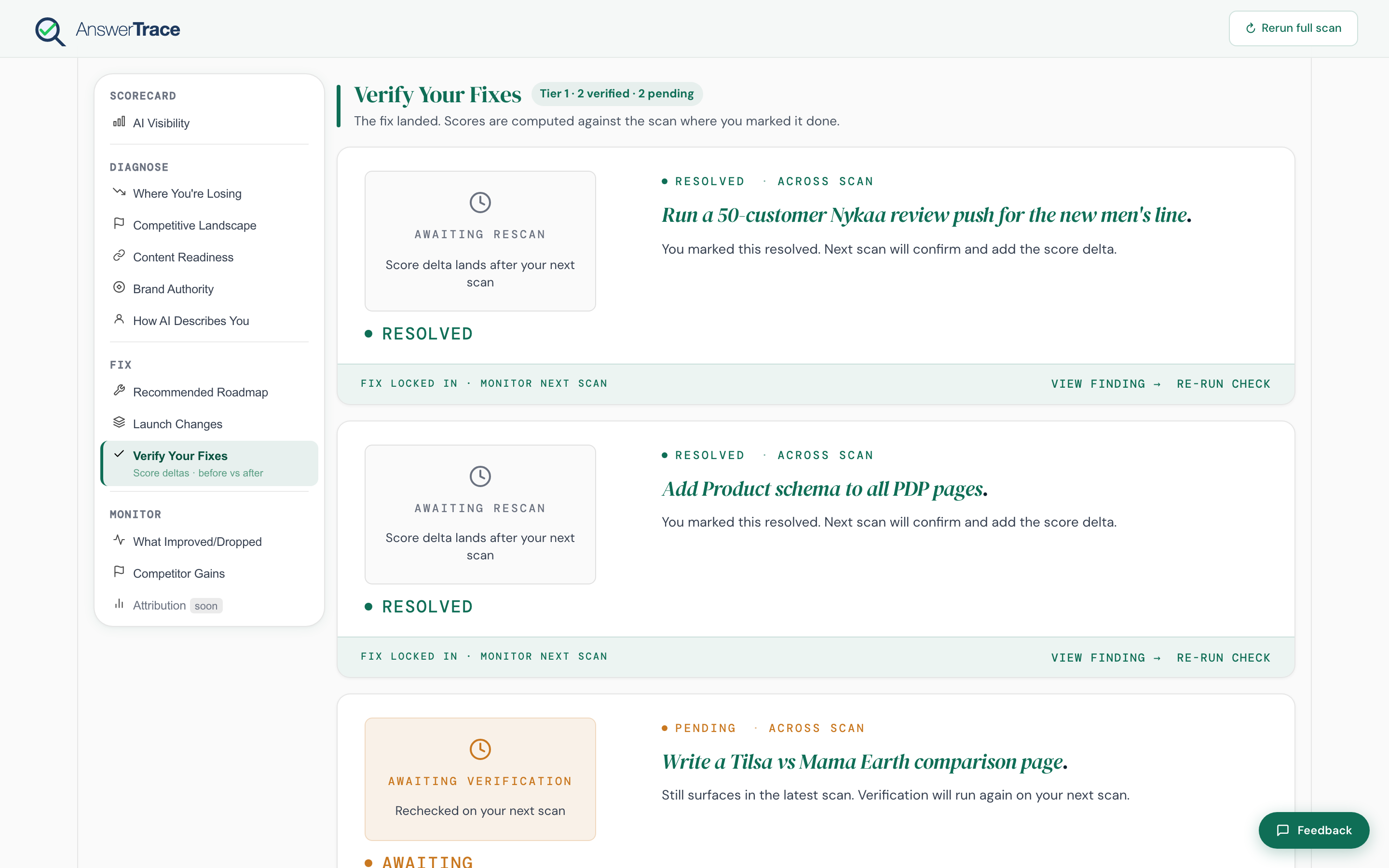
Every resolved finding lands here as a card with:
- The finding title and theme
- An eyebrow with verification status tokens (e.g. Verified, Resolved, Awaiting)
- A ScoreStack visual: AEO, Content Readiness, and Brand Authority shown as prev vs curr per metric
- One of three states:
- Verified, the finding no longer surfaces in the latest scan; the deltas are positive
- Resolved (awaiting verification), you marked it resolved; we’ll re-check on the next scan
- Awaiting re-scan, you’ve published or marked it done; no new scan has run yet
- Action chips depending on state: Re-run check, View finding, Mark resolved
The exact copy on the card reads things like “Re-checked against the latest scan, the finding is no longer detected” or “Marked done in this scan. Run your next scan to compare”.
How long does verification take
A typical Content Readiness fix shows a verification signal within one scan cycle (~2 weeks on Starter and Growth, ~1 week on Pro). Brand Authority fixes (Wikipedia, press) can take six to twelve weeks because engines crawl those sources less often.
What this means for you
Verify Your Fixes is the proof point. It’s what you point at when someone asks “did the article we shipped last week move the needle?”. Pair it with Attribution once that surface ships to also see how many website visits the AI mention generated.