Ship the fix
The second leg of the loop. Diagnose tells you what is wrong. Fix tells you what to do about it and helps you ship.
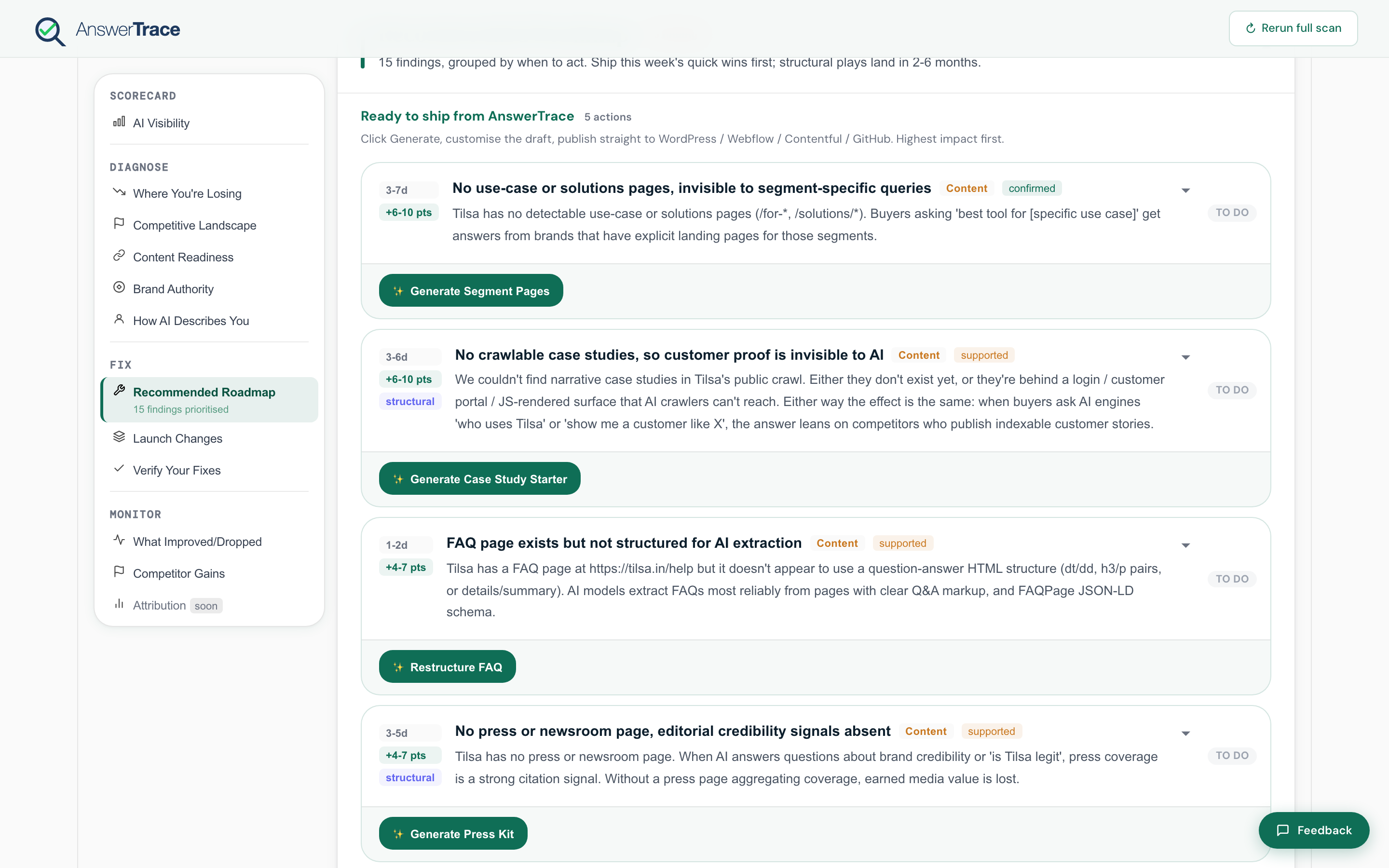
Every scan ends with all detected findings, grouped into This week, This month, and This quarter buckets so you can pick the top one in your highest-priority bucket and ship it this week. Themes inside the buckets are Visibility, Content, Authority, Citations, Site readiness, Coverage, and Competitive.
What’s in this section
- Recommended roadmap, every detected finding grouped by horizon, with effort and impact ranges
- Launch changes, the Fix Kit surface where Growth and up generate the artifact (JSON-LD, FAQ block, comparison page, case study starter, and more)
- Verify your fixes, the before-vs-after view that compares AEO, Content Readiness, and Brand Authority before and after a fix, available on any paid plan
- Publish to your CMS, the per-destination publish modal for WordPress, Webflow, Contentful, and GitHub PR. Growth ships up to 3 articles per month; Pro is unlimited.
The shortest fix-to-live-URL
For Content Readiness gaps on Growth and up, AnswerTrace drafts the artifact for you, whether that’s an FAQ schema block, a comparison page, a case study starter, or a glossary entry. Hit Publish to CMS on the artifact card, enter the credentials, and the page lands as a draft in your CMS. You review, hit publish, and it’s live. Start to finish: under an hour.
What you do next
Once the fix ships, re-scan (every two weeks on Starter and Growth, weekly on Pro). Verify your fixes shows the per-metric before-vs-after delta. Monitor → What improved or dropped shows the broader change feed. Both confirm whether AI picked up the change.