The scorecard
The hero of every report. The first thing you read and the last thing you check before you ship a fix. One left-rail section, several views inside it: the AI Presence Score, the three-stage funnel (Discovery, Shortlist, Win), the engine breakdown, the per-product split, and the AI rank in category.
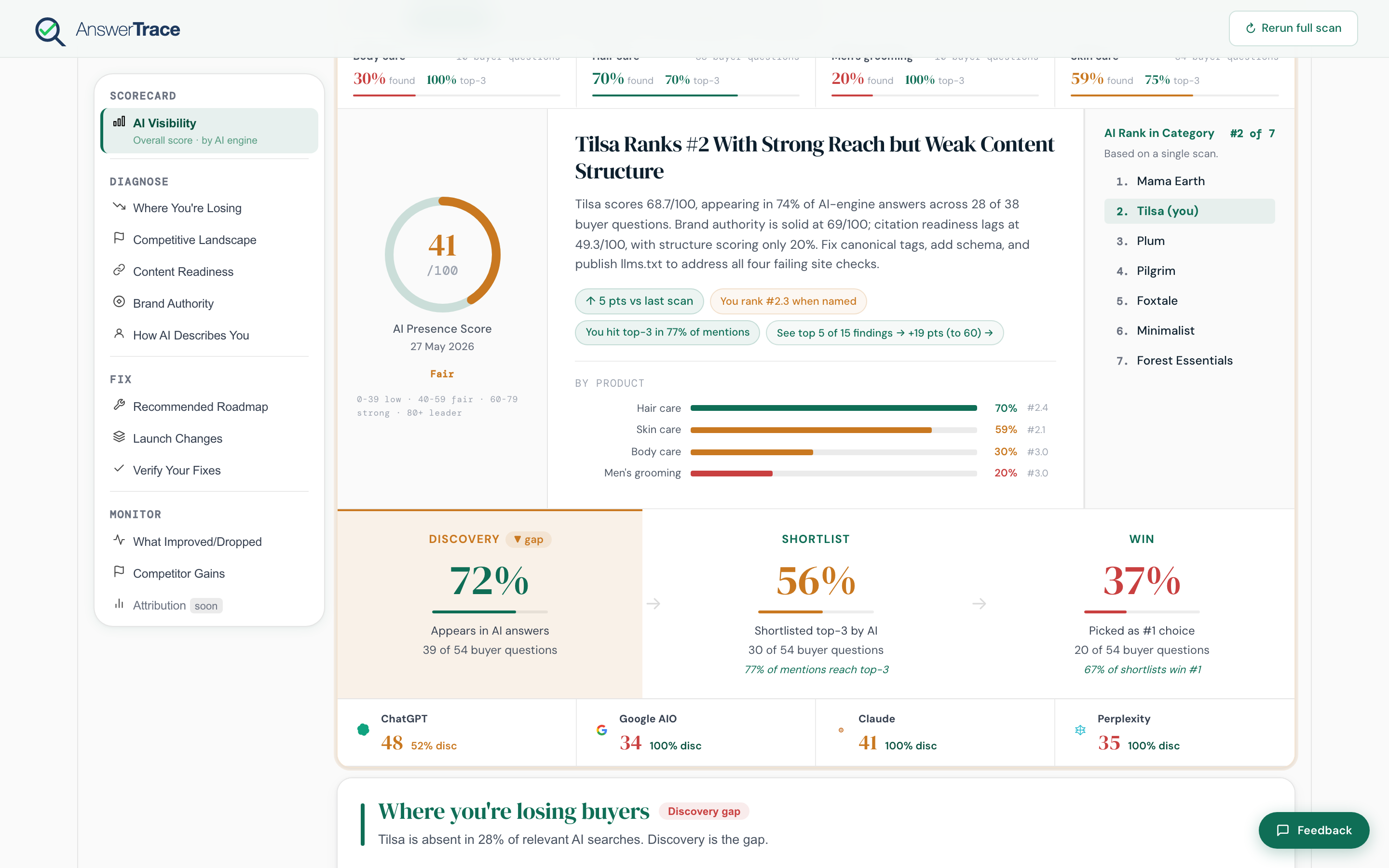
What’s in this section
- AI Presence Score, the headline number, the three-stage funnel, the engine breakdown
- AI rank in category, your position on the category leaderboard, rendered as a side cell next to the score
How the scorecard fits the loop
The scorecard is where the loop begins and ends. You read it once at the top to set context, then return to it after a fix lands to see whether the number moved.
| Use | Section |
|---|---|
| Set today’s baseline | Scorecard, both items |
| Find the underlying gap | Diagnose |
| Pick the next action | Fix |
| Confirm the lift after a fix | Monitor + scorecard delta |